Seven years ago I stopped memorizing my passport number, my ID number, my frequent flyer cards, and the other personal identifiers that shouldn’t live in your head or in a random text file.
I also stopped typing most of the things I was forced to type every day. My address on checkout forms or My LinkedIn and X handles on every new profile or the same three-line reply I found myself sending over email.
What I use instead is a handful of shortcuts. >pp expands to my passport number. >add gives me my address. Anything I used to keep in my head or retype a dozen times a week now lives behind a shortcut.
This is Apple’s Text Replacement feature. It’s natively built into Apple’s OS and syncs automatically across my Mac, iPhone, and iPad. When the underlying data changes (e.g. a new passport number or a new address), I update the snippet in one place and every device catches up.
The problem with Text Replacement is that setting it up is tedious and confusing. Apple buries it in a settings screen and you have to type in each shortcut one at a time. I’ve recommended the feature to friends for years and most of them have never bothered to set it up.
So I built Shortcut Pack, an easy way to set up your text replacements in under five minutes. You configure your pack in the browser, import the generated plist file on your Mac, and iCloud carries it to your other devices. The code is public and the app is free.
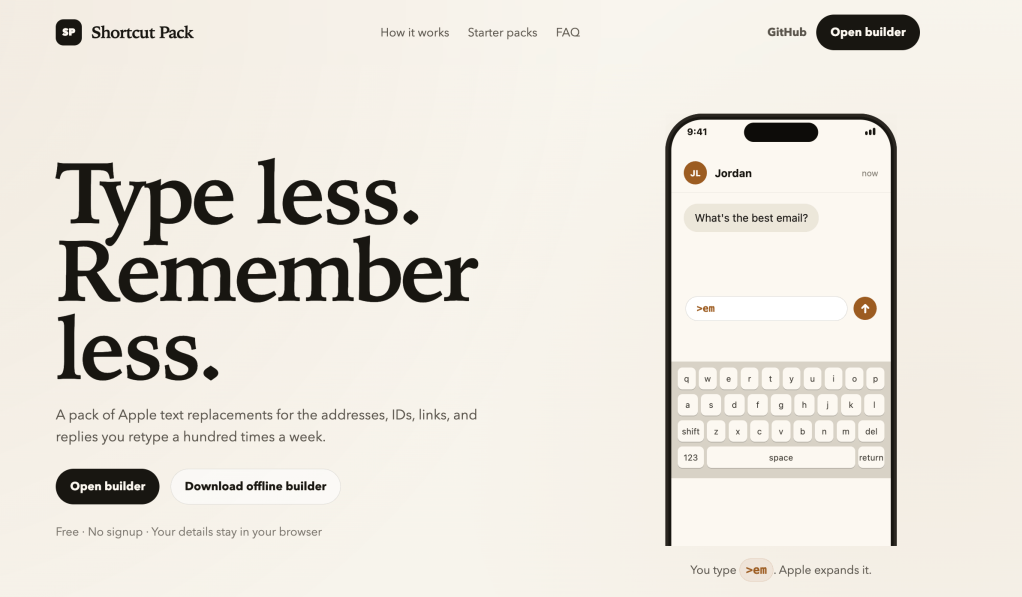
I built it with Codex this week. I’ve spent a good amount of time with Claude Code and wanted to see how Codex compared. Vercel hosts the site, Codex handles the Vercel integration, and pushing to GitHub deploys automatically.
I spent two days on the landing page and the application. I’m still blown away at how fast I can now build (admittedly simple) things without writing or reading a single line of code myself.
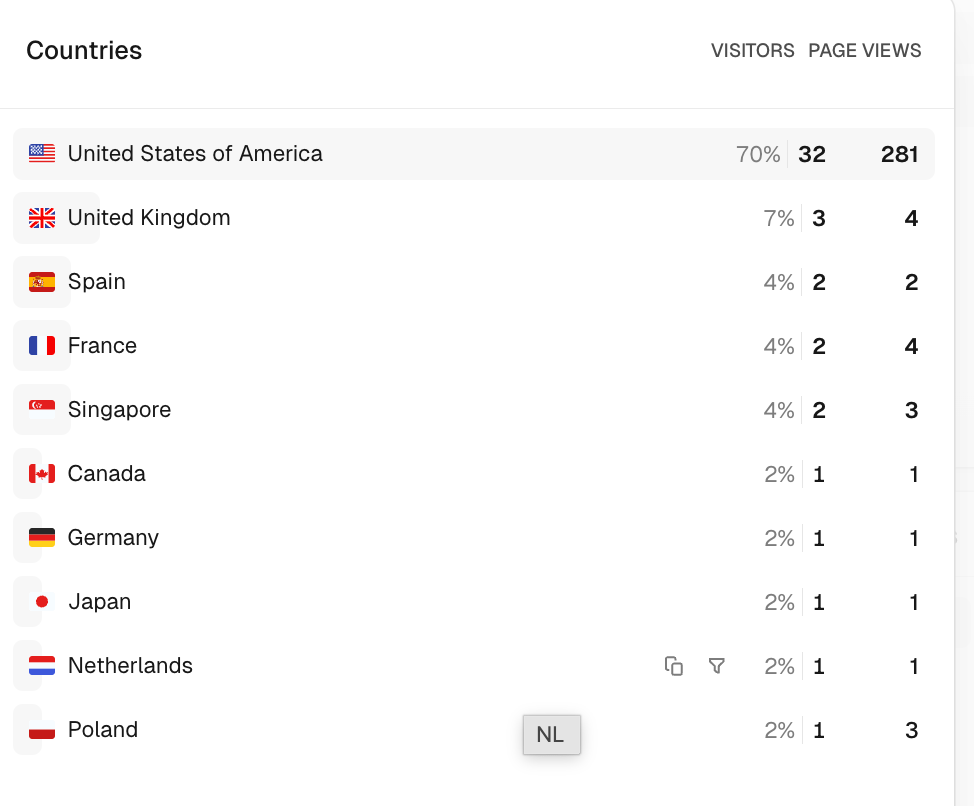
I shipped yesterday. In less than 24 hours, 47 people from around the world have visited – I have no idea how.
Please use, send me feedback and help make it better!


Leave a comment